PSG is now EDGE. As of October 2026, pre-approved solutions like Exabloom are applied for under EDGE - Digitalisation (With Pre-approved Vendors), starting from SMEs Go Digital. For new applications, follow Guide to apply for the EDGE Digitalisation Grant (formerly PSG) for Exabloom instead.
Hello, this guide will teach you the steps on how to apply for the Productivity Solutions Grant (PSG) on the Business Grant Portal.
To access the Business Grant Portal, please go to: https://www.businessgrants.gov.sg/
You will need your Corp Pass access to log in to the business grants portal. Please ensure that you have at least Preparer/Acceptor access before proceeding. You can enable access via Corp Pass.
How to submit a new grant application?
Step 1: Click on “Get new grant”
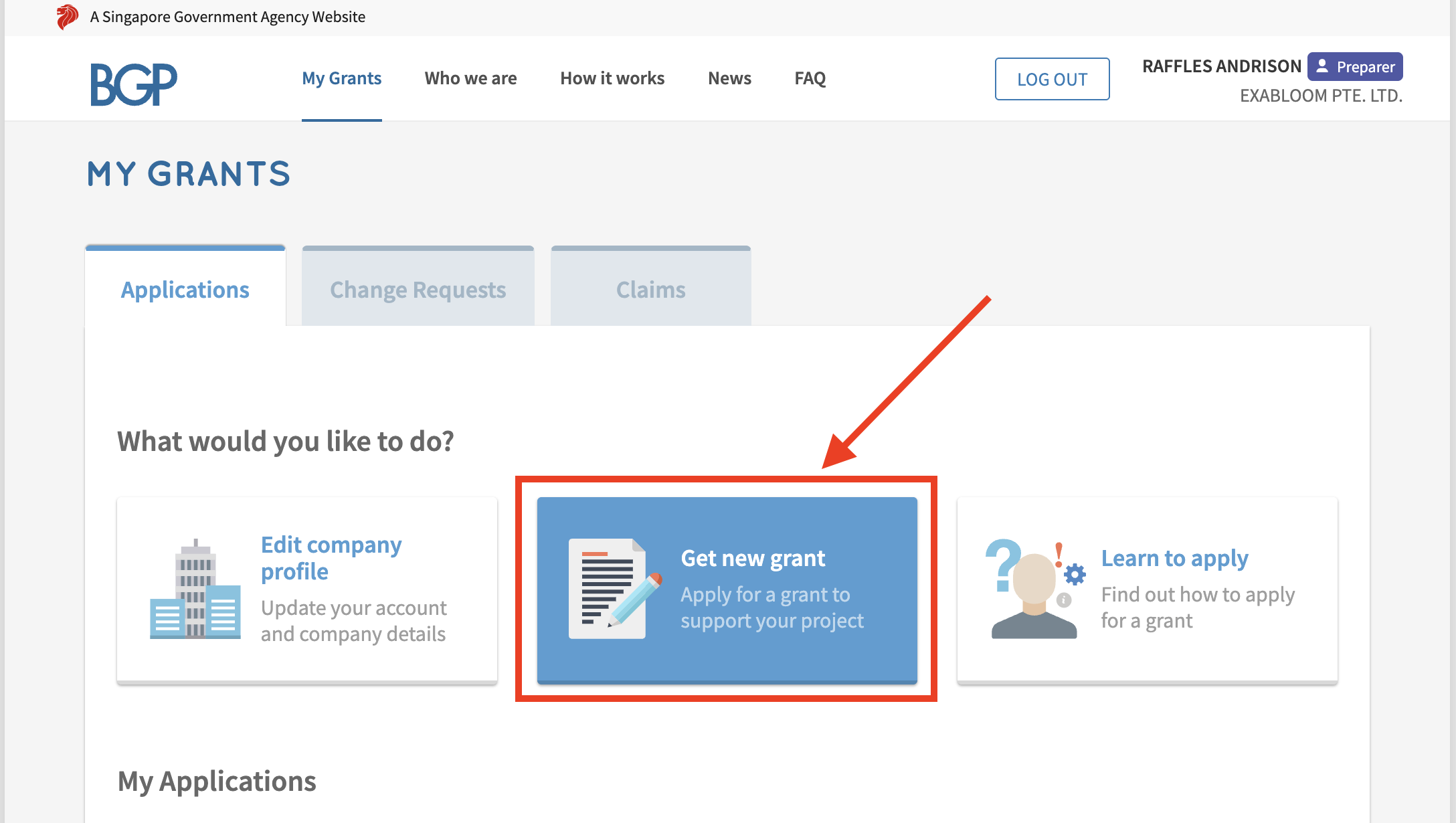
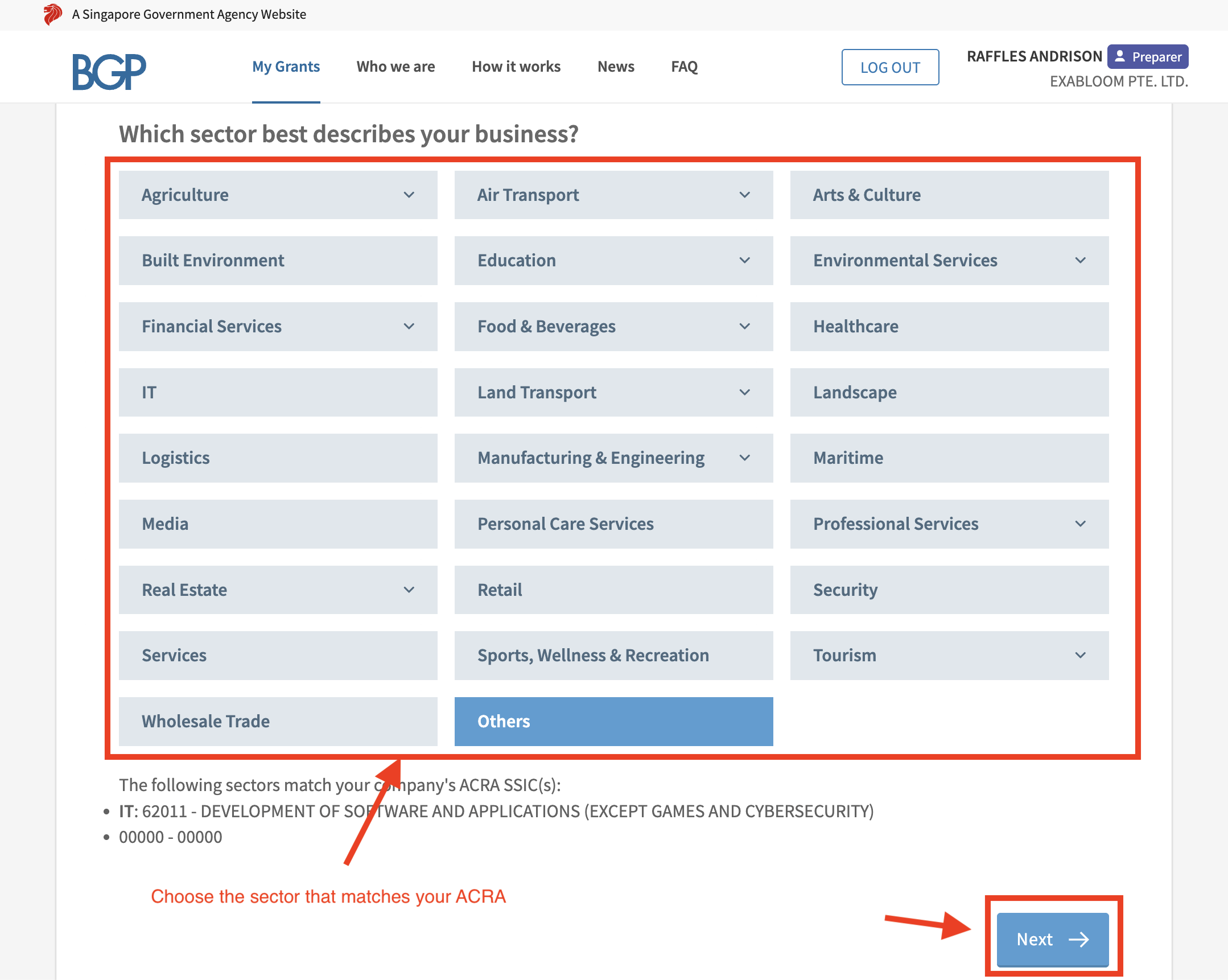
Step 2: Select the Sector that best describes your business and click "Next".
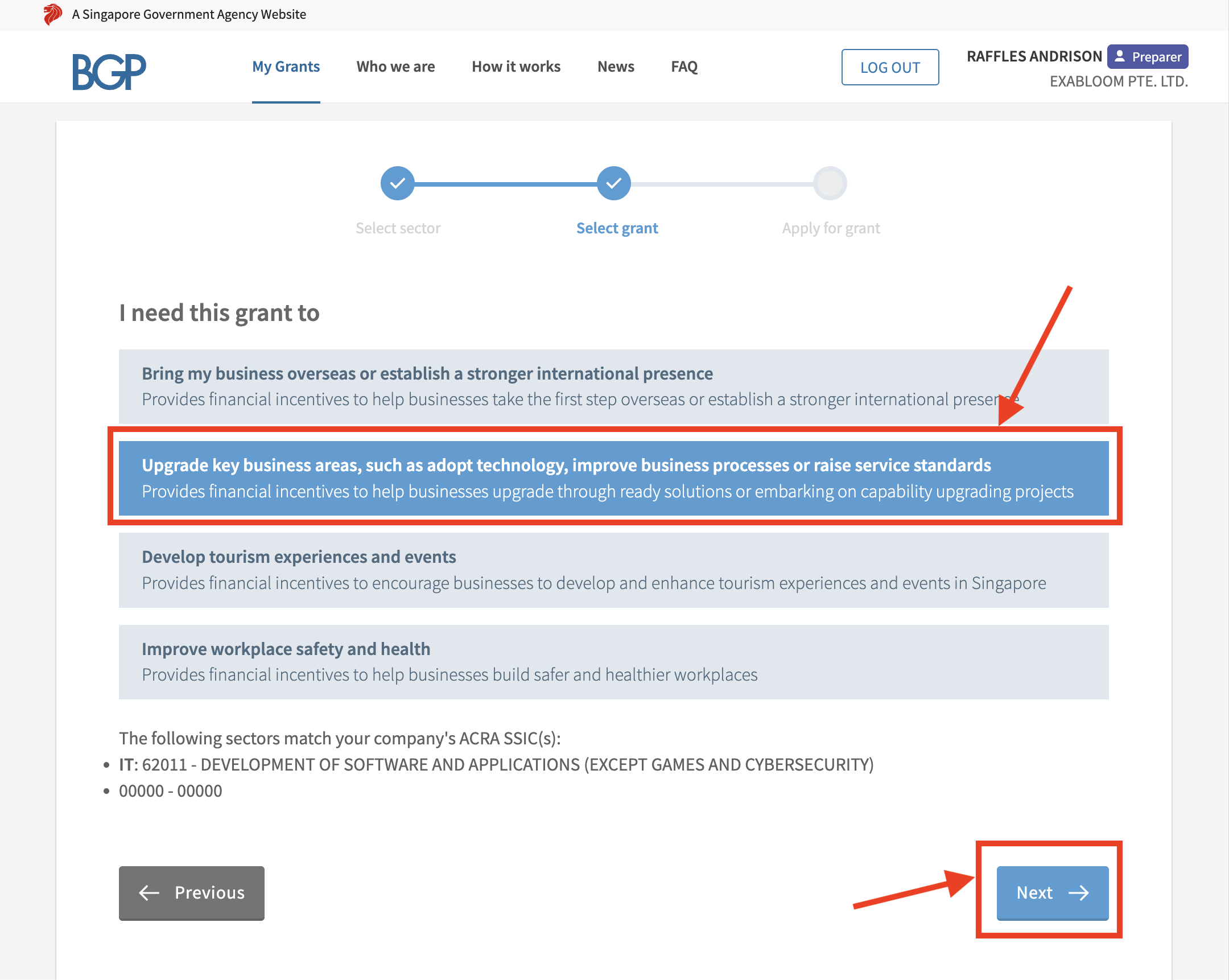
Step 3: Select the 2nd row (Upgrade key business areas, such as adopt technology, improve business processes or raise service standards) and click “Next”
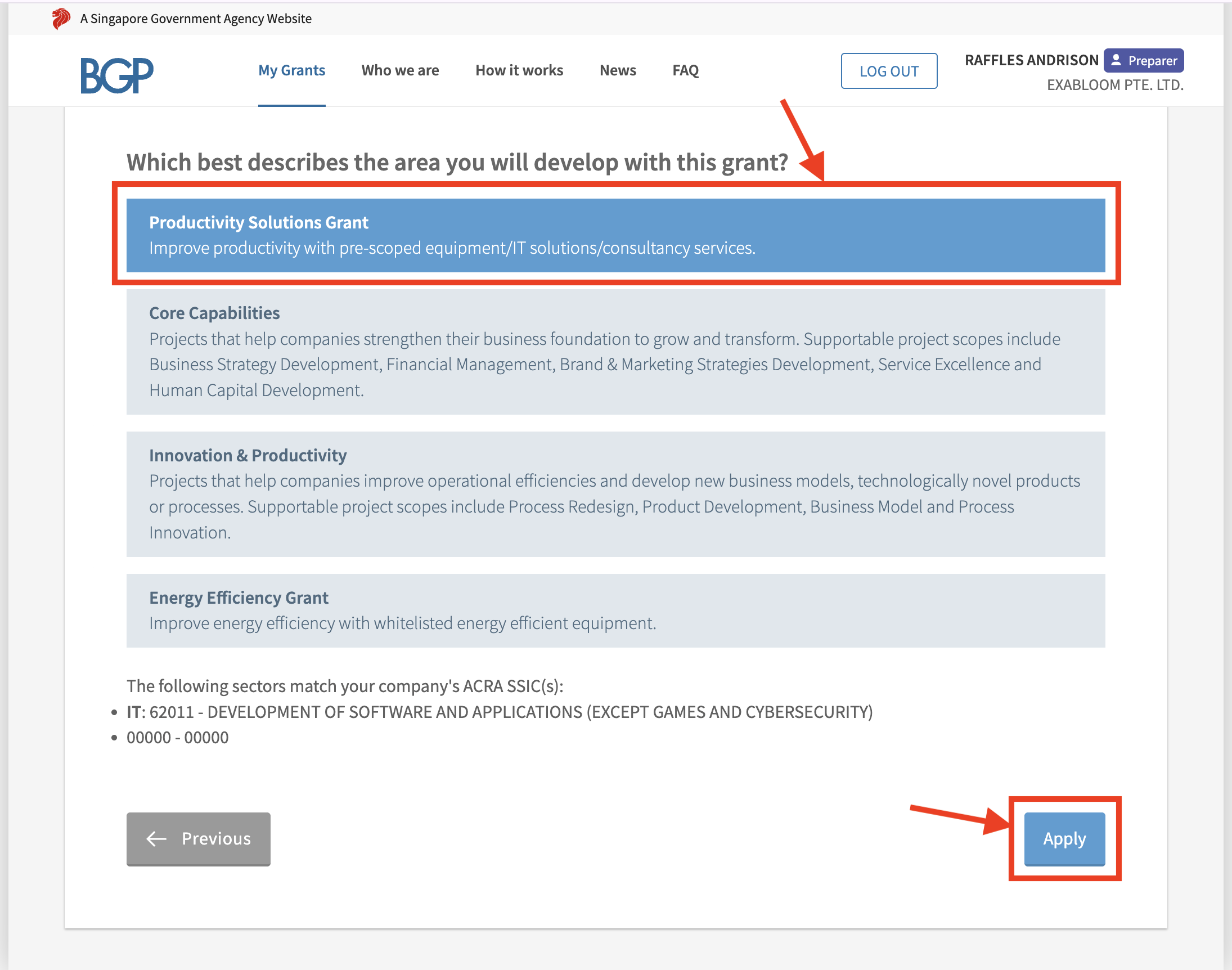
Step 4: Select the 1st Row (Productivity Solutions Grant) and click “Apply”
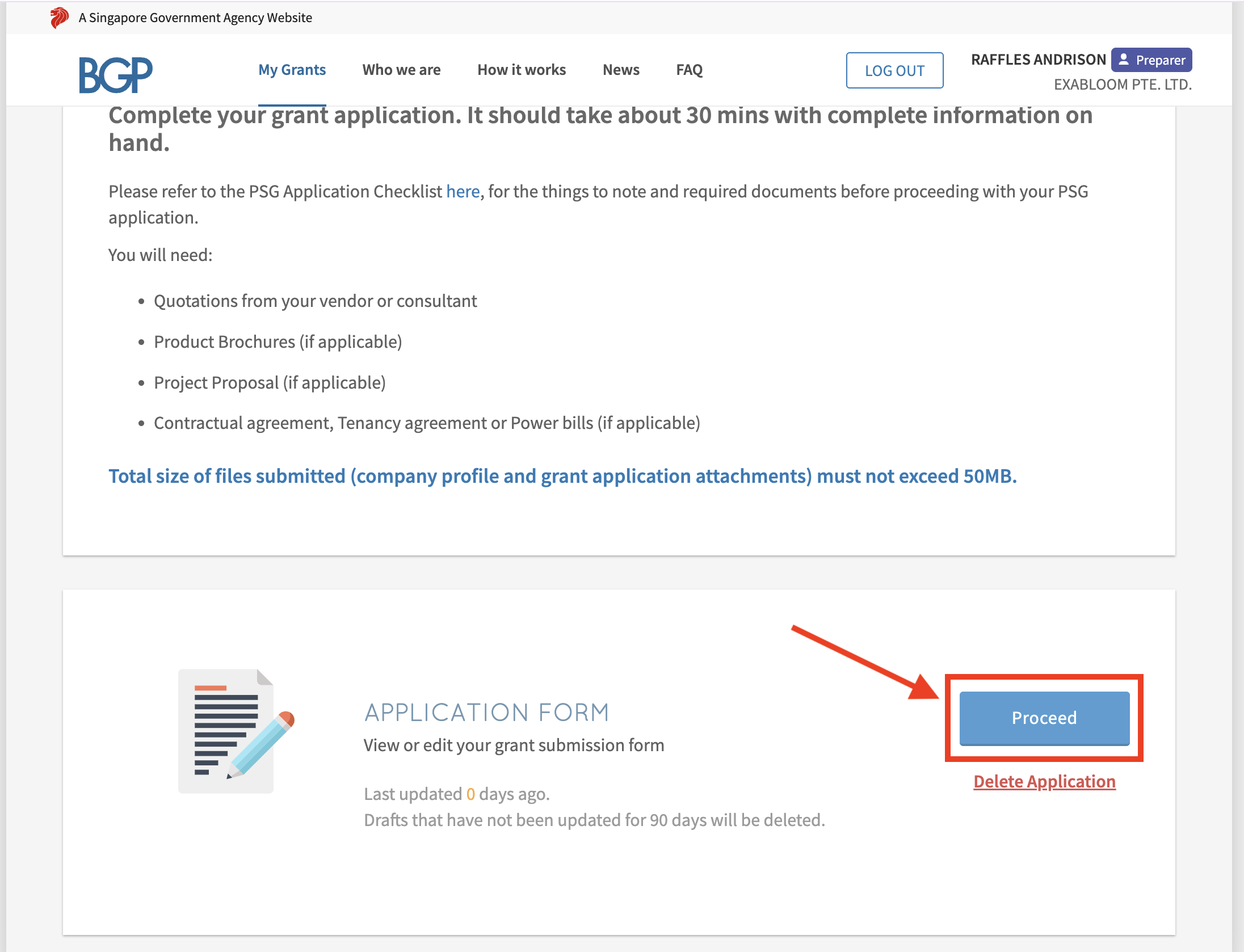
Step 5: Scroll down till you see the “Proceed” button and click it
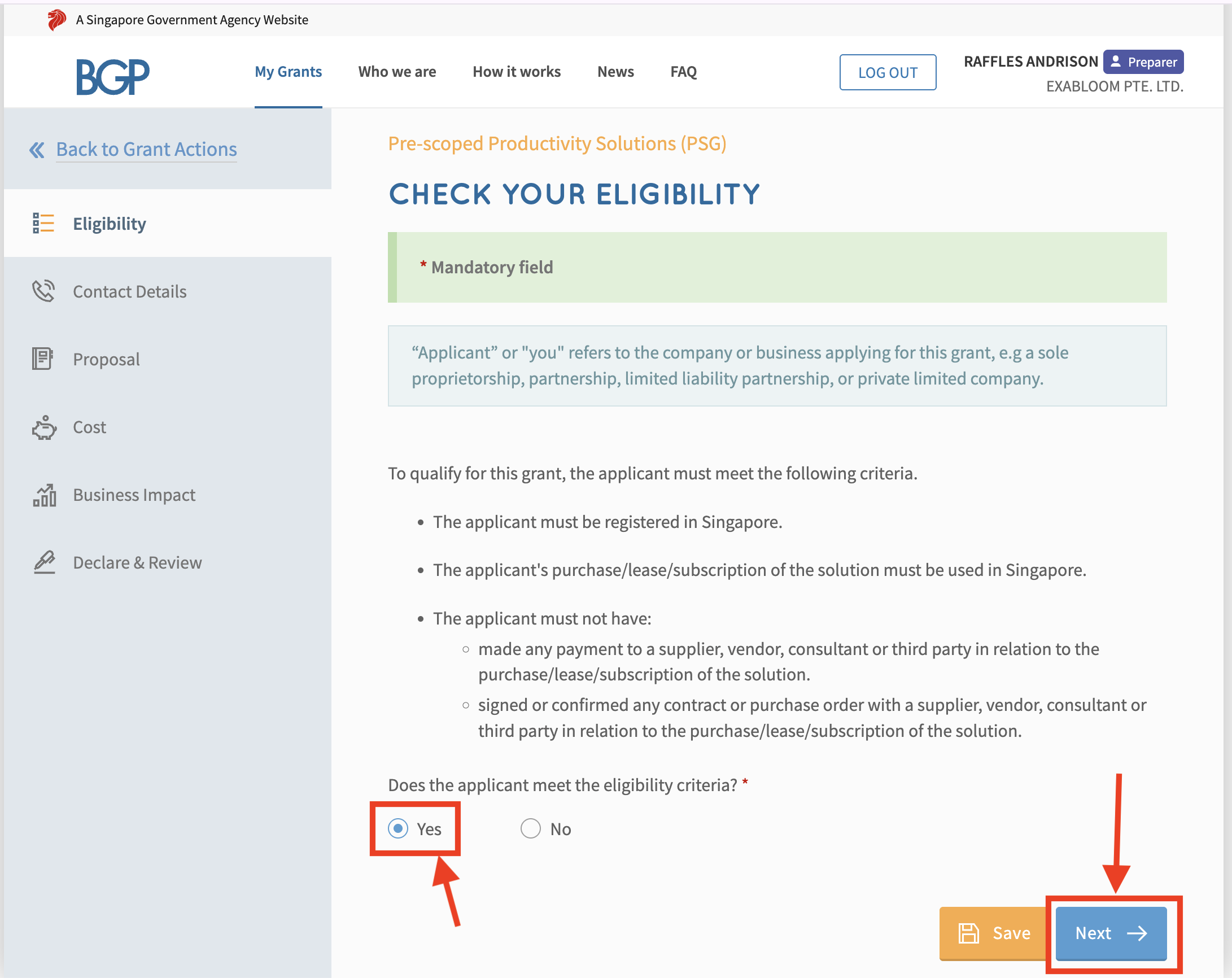
Step 6: Select “Yes” and click “Next”
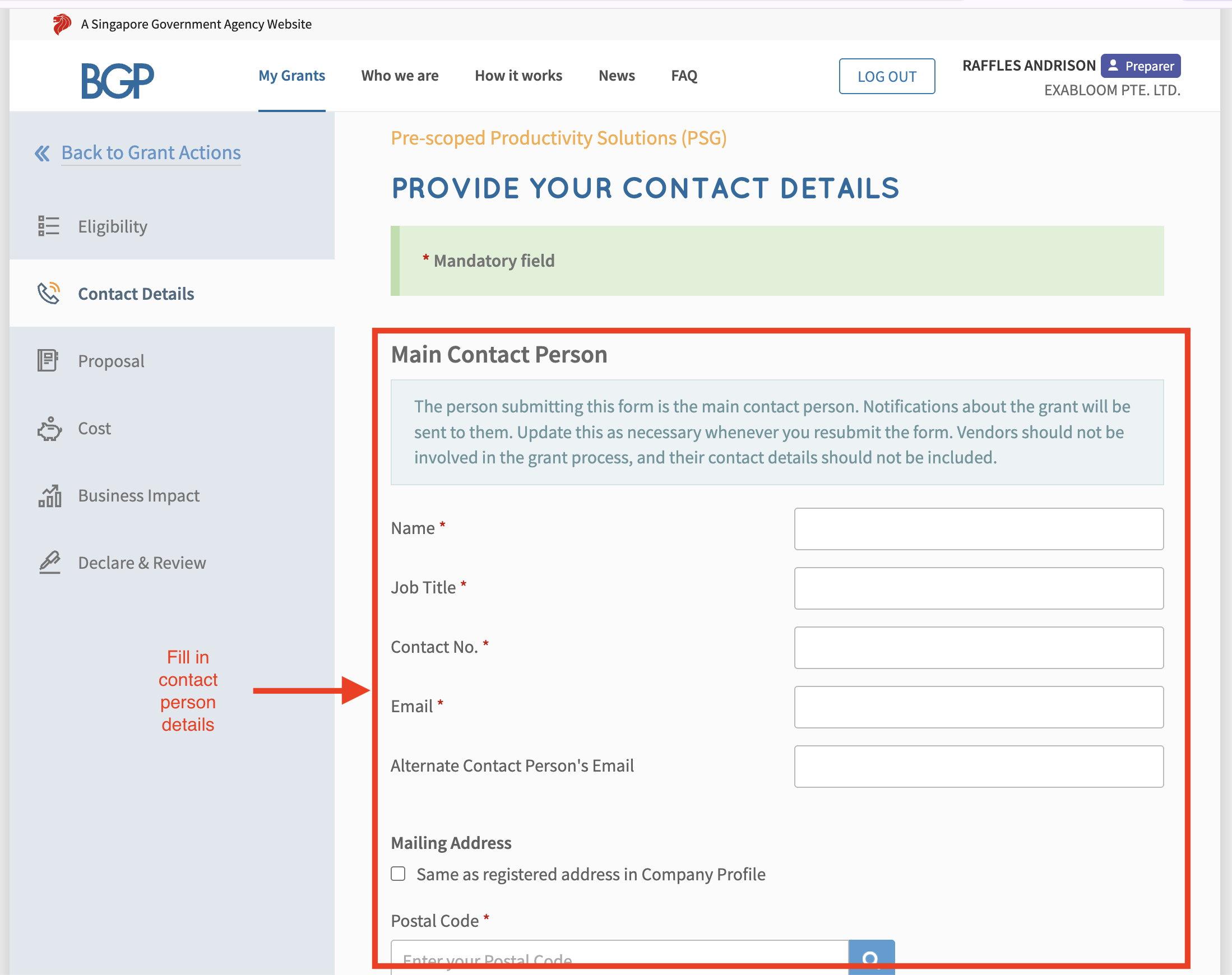
Step 7: Fill up your contact details and registered address, then click “Next”
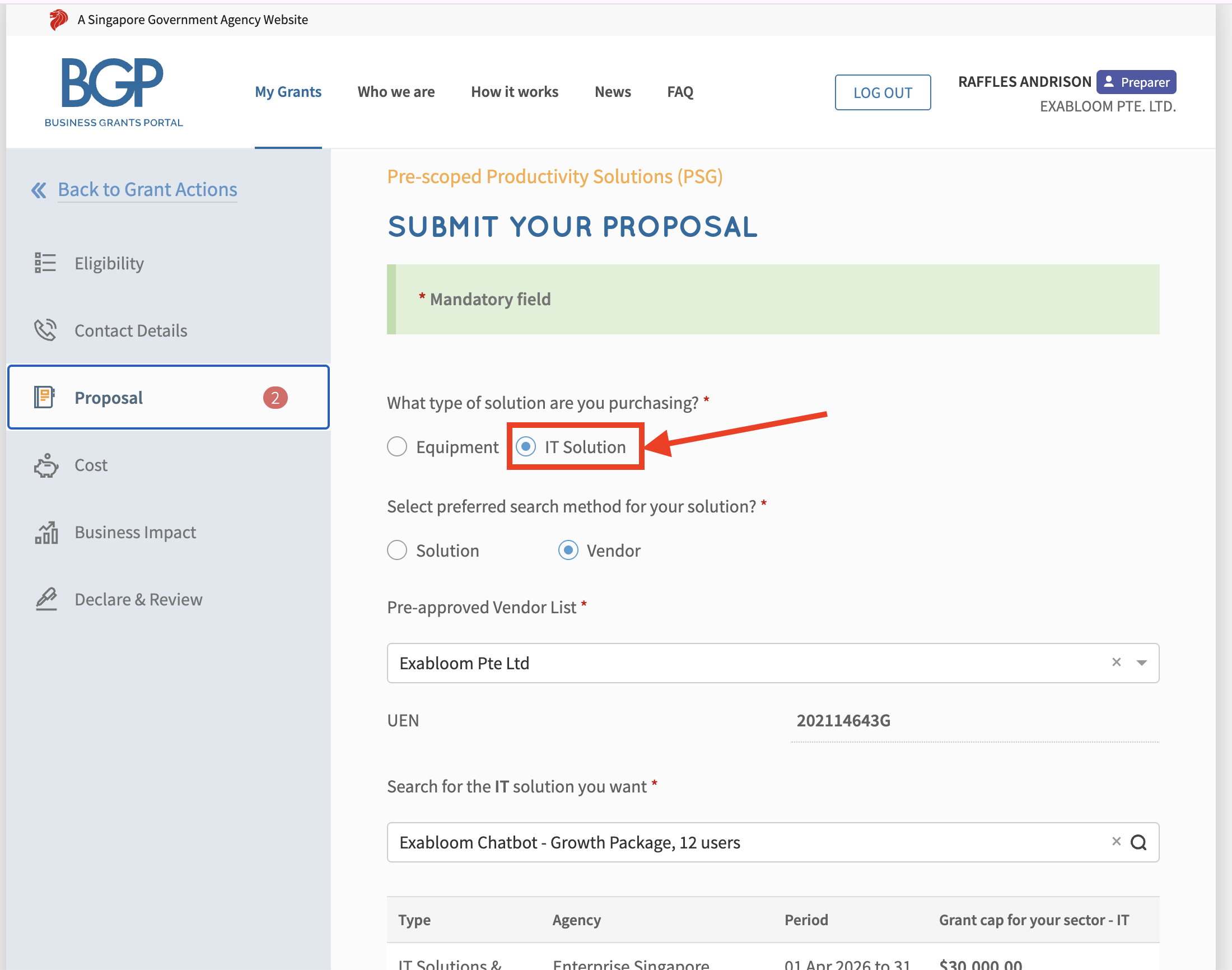
Step 8: Select “IT Solution”
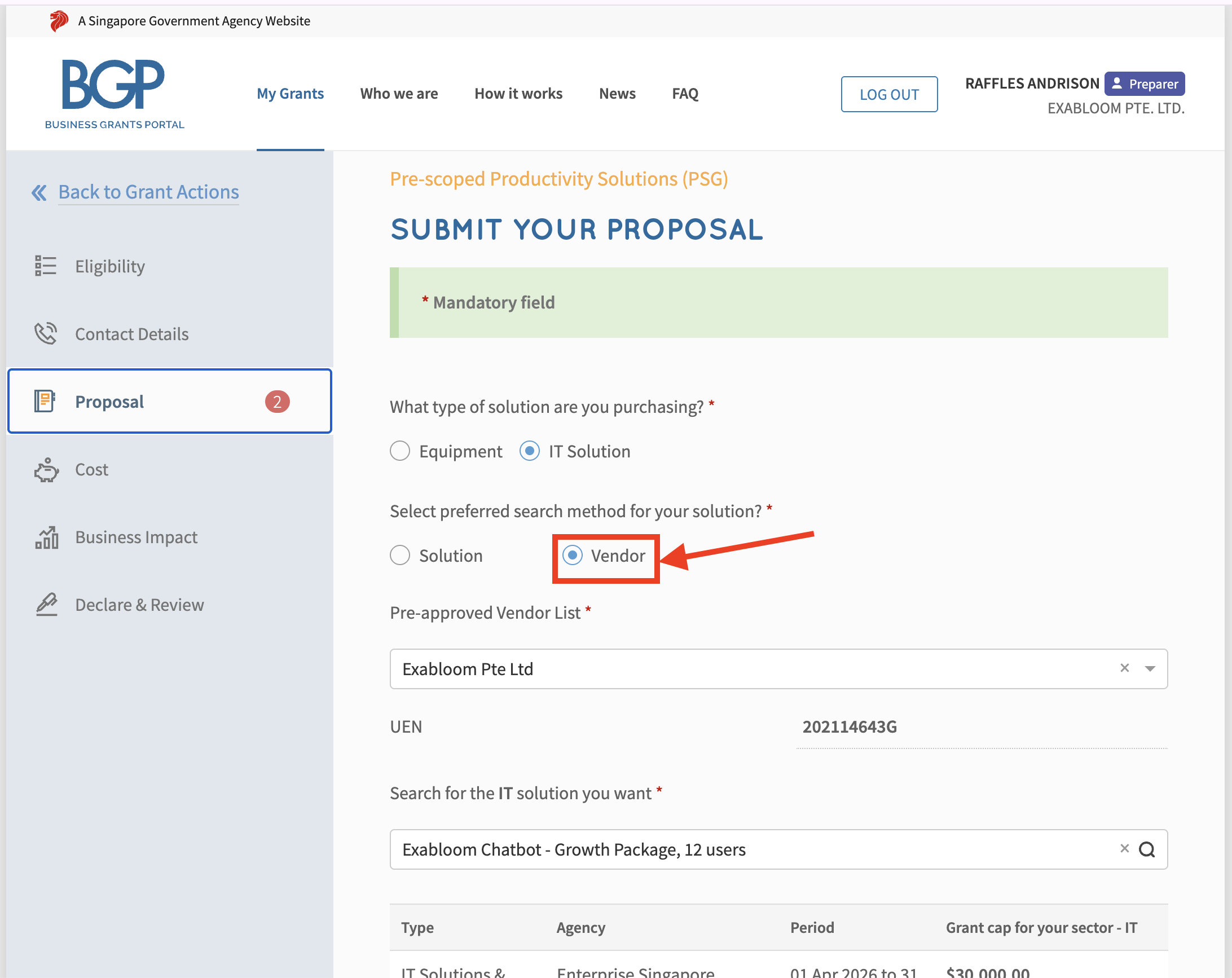
Step 9: Select "Vendor"
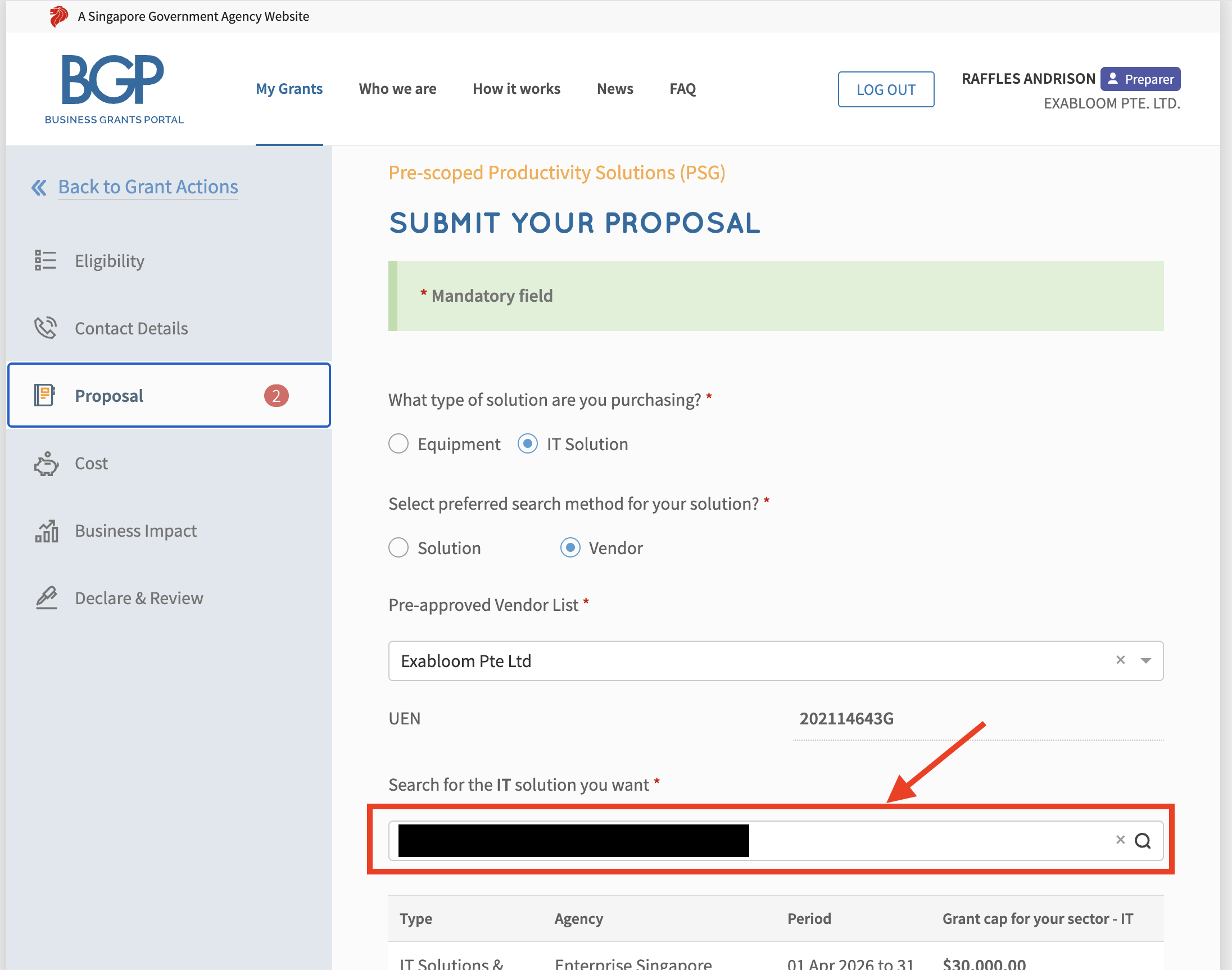
Step 10: Search for “Exabloom Pte Ltd”
Step 11: Select the Package that matches the title of your quotation and scroll down to the next screen.
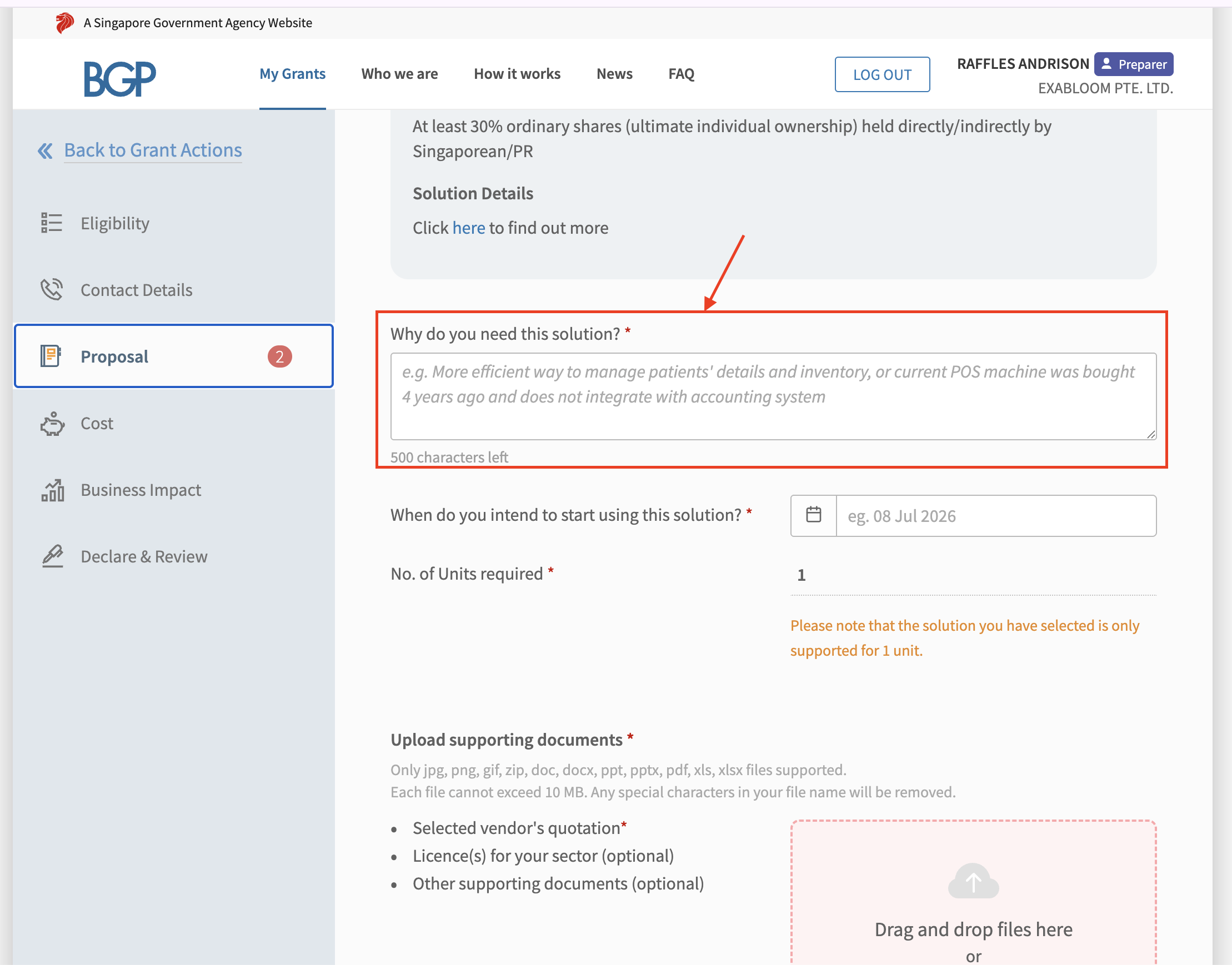
Step 12: You can choose from the following to describe why you need this solution:
- Automate and streamline communication workflows to engage leads and customers efficiently without manual follow-up.
- Reduce time spent on repetitive administrative tasks such as lead qualification, appointment scheduling, and reactivation outreach.
- Centralize all customer interactions and engagement history in a single dashboard for easy access and tracking.
- Enable businesses to manage client communication and lead reactivation remotely through a cloud-based chatbot platform—ideal for flexible or remote work scenarios.
- Generate insightful reports and analytics on lead engagement and campaign performance without manual data compilation or searching across multiple systems.
Step 13: Indicate the Date that you wish to start using Exabloom.
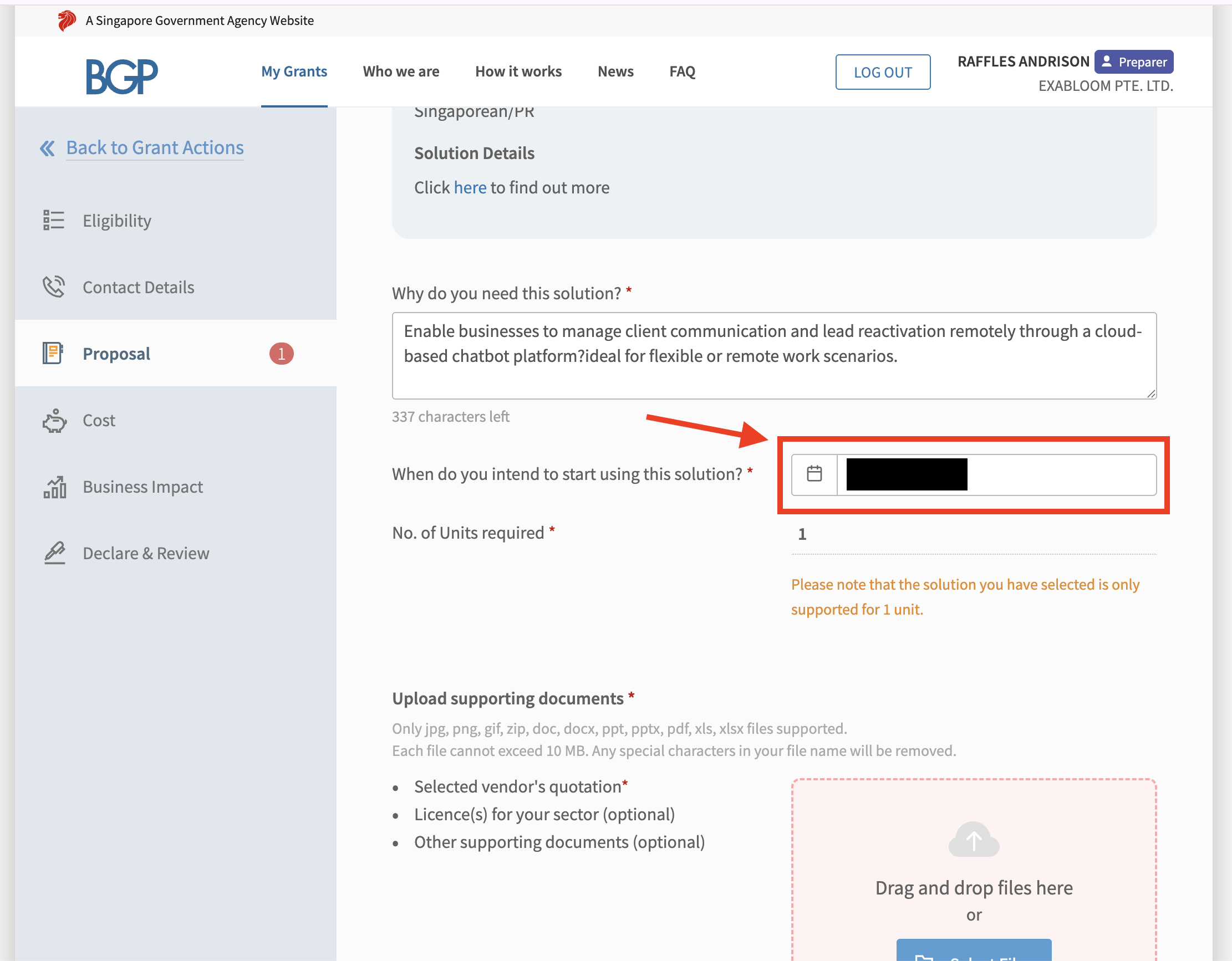
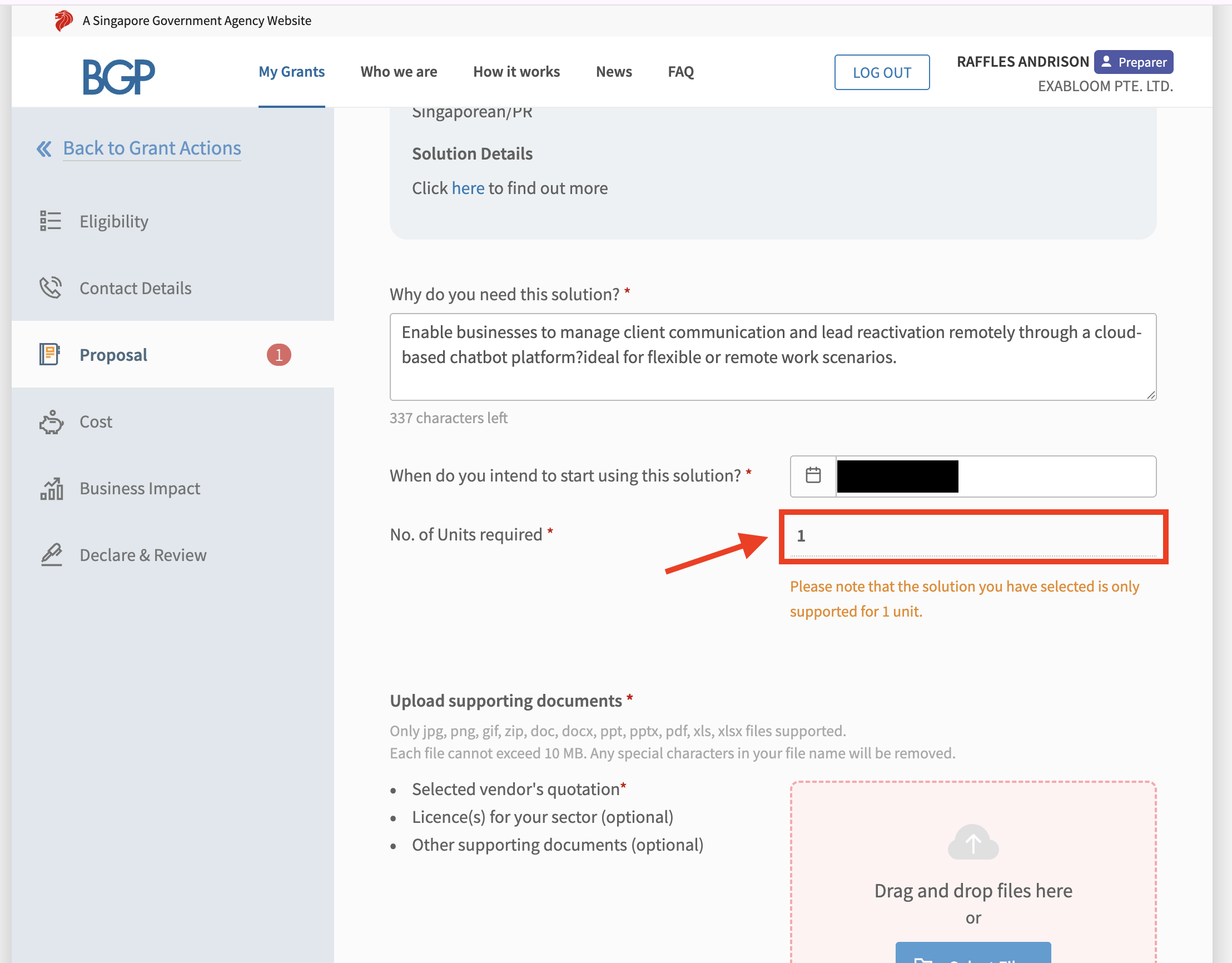
Step 14: Input the No. of Units required as 1.
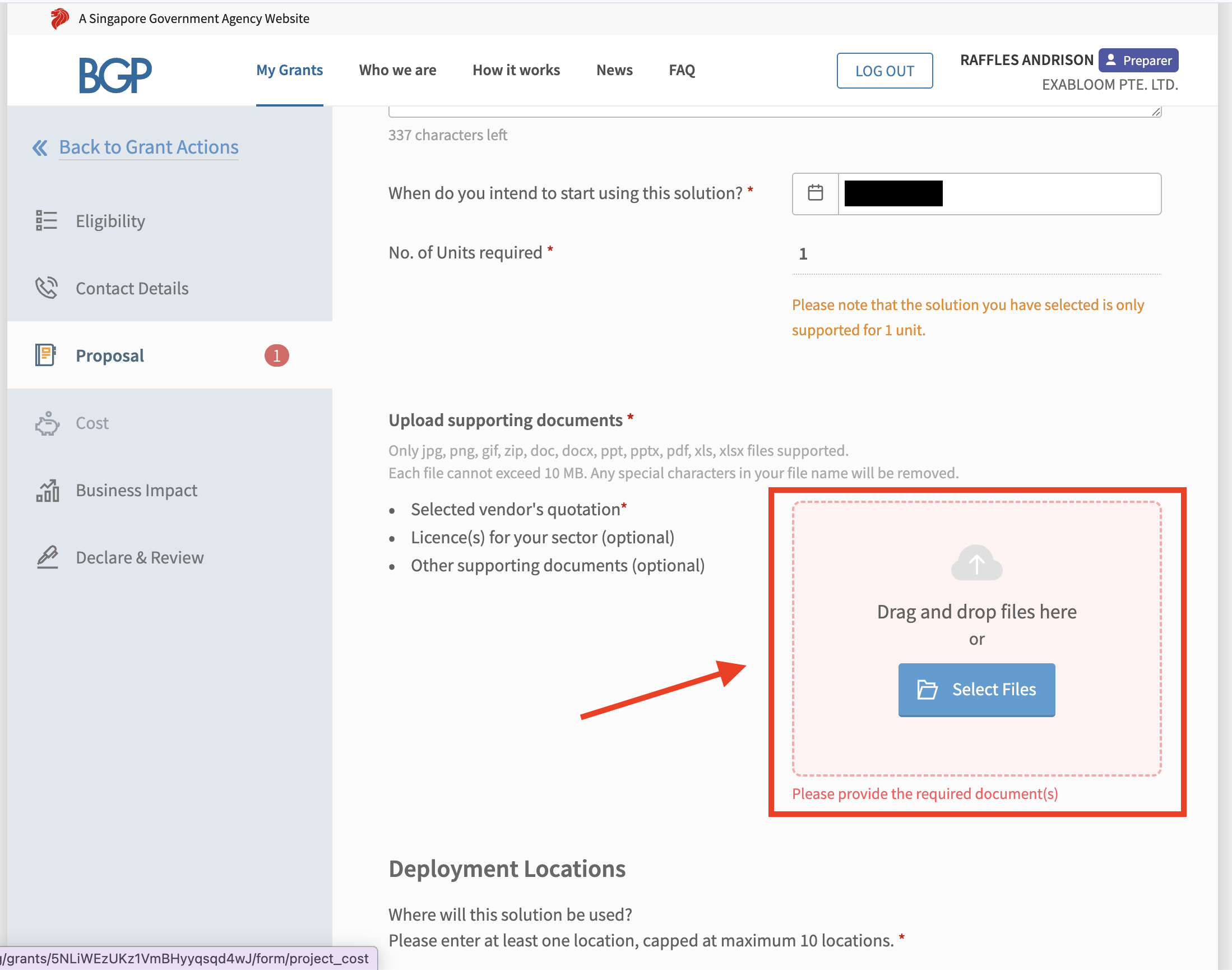
Step 15: Upload the quotation that was sent to you by Exabloom’s sales representative.
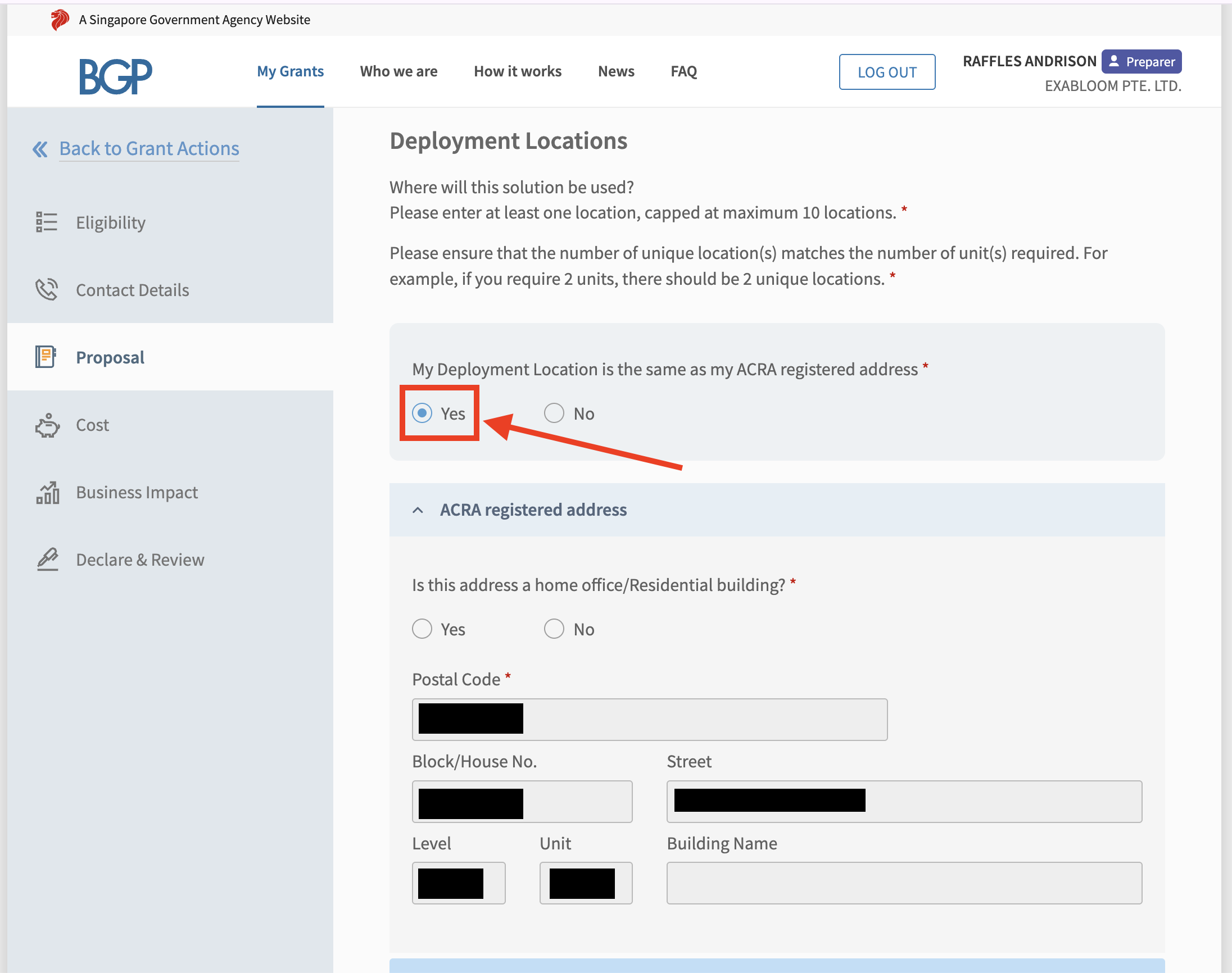
Step 16: Deployment Locations: Select “Yes” if it is the same as your ACRA registered address.
Step 17: Choose “Subscription/Lease” from the dropdown on how you intend to make the purchase.
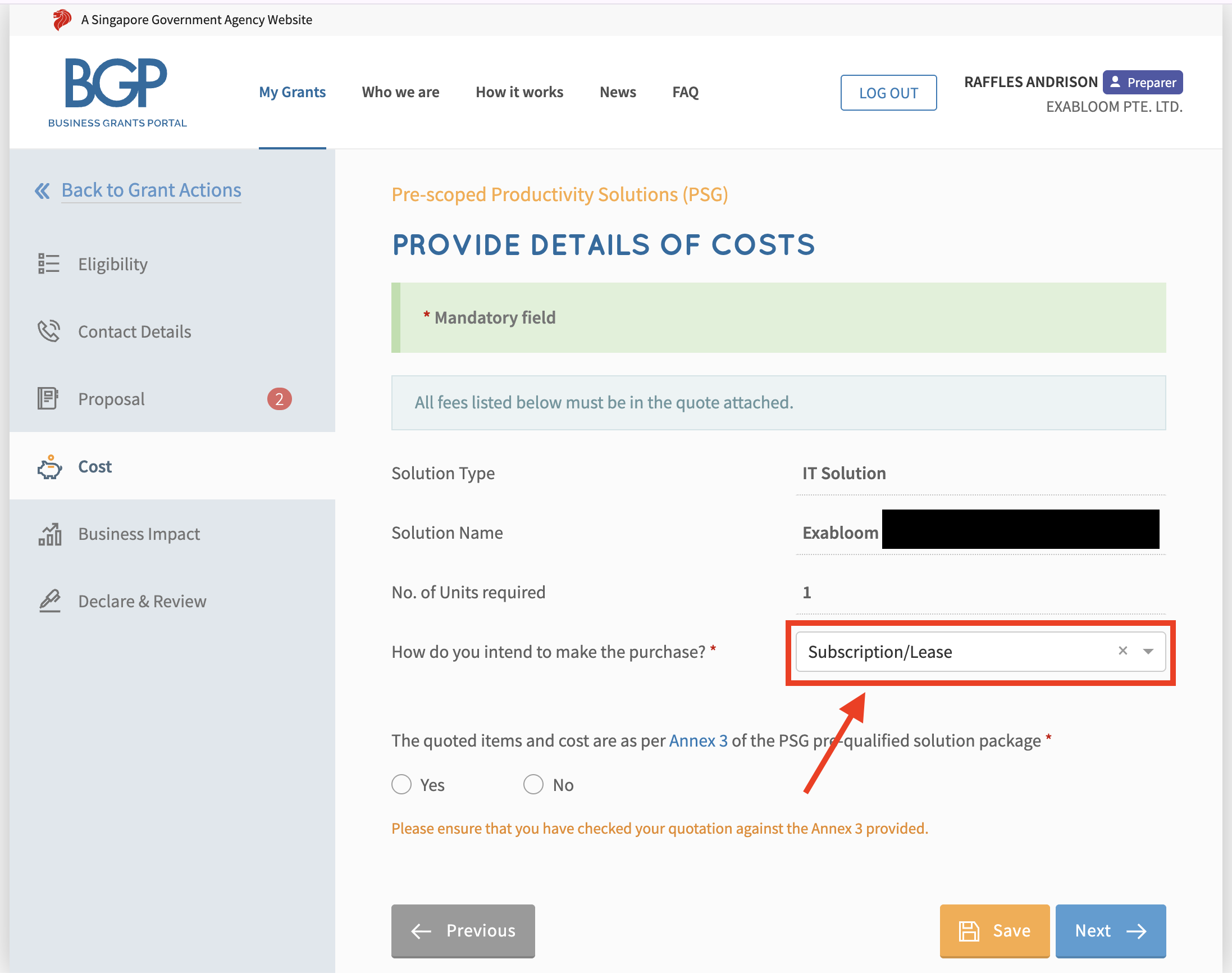
Step 18: Select “Yes” for the quoted items and cost are as per Annex 3 of the PSG pre-qualified solution package and click "Next" button.
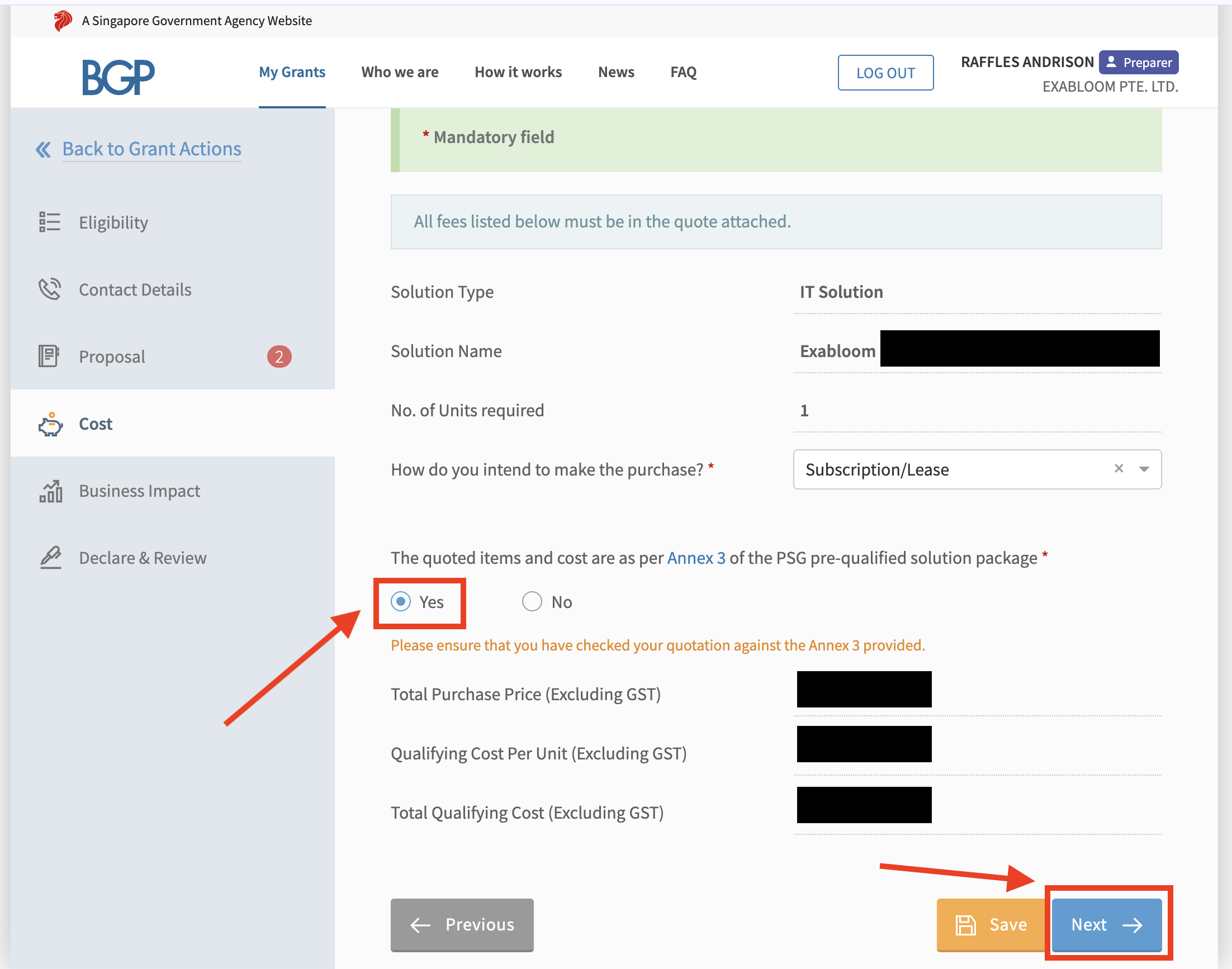
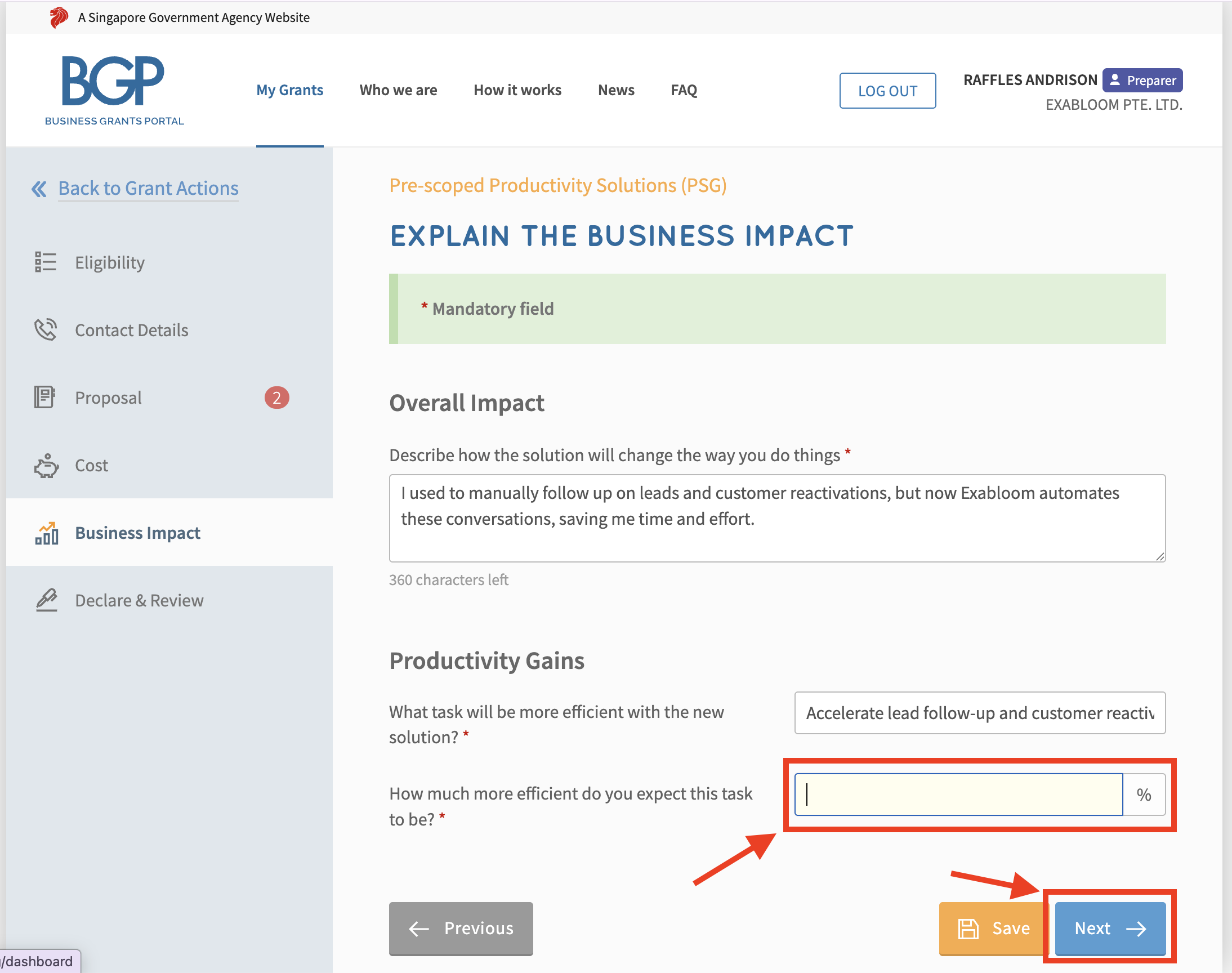
Step 19: You can choose from the following to describe how the solution will change the way you do things (Overall Impact). Please only copy the options that suit your business needs.
- I used to manually follow up on leads and customer reactivations, but now Exabloom automates these conversations, saving me time and effort.
- Previously, managing inquiries and appointment requests involved multiple platforms and manual logging; with Exabloom’s chatbot, my customers can submit requests instantly and digitally, reducing administrative overhead.
- With Exabloom’s engagement tracking, my team can monitor customer responses and campaign effectiveness, allowing us to focus on improving areas that need attention.
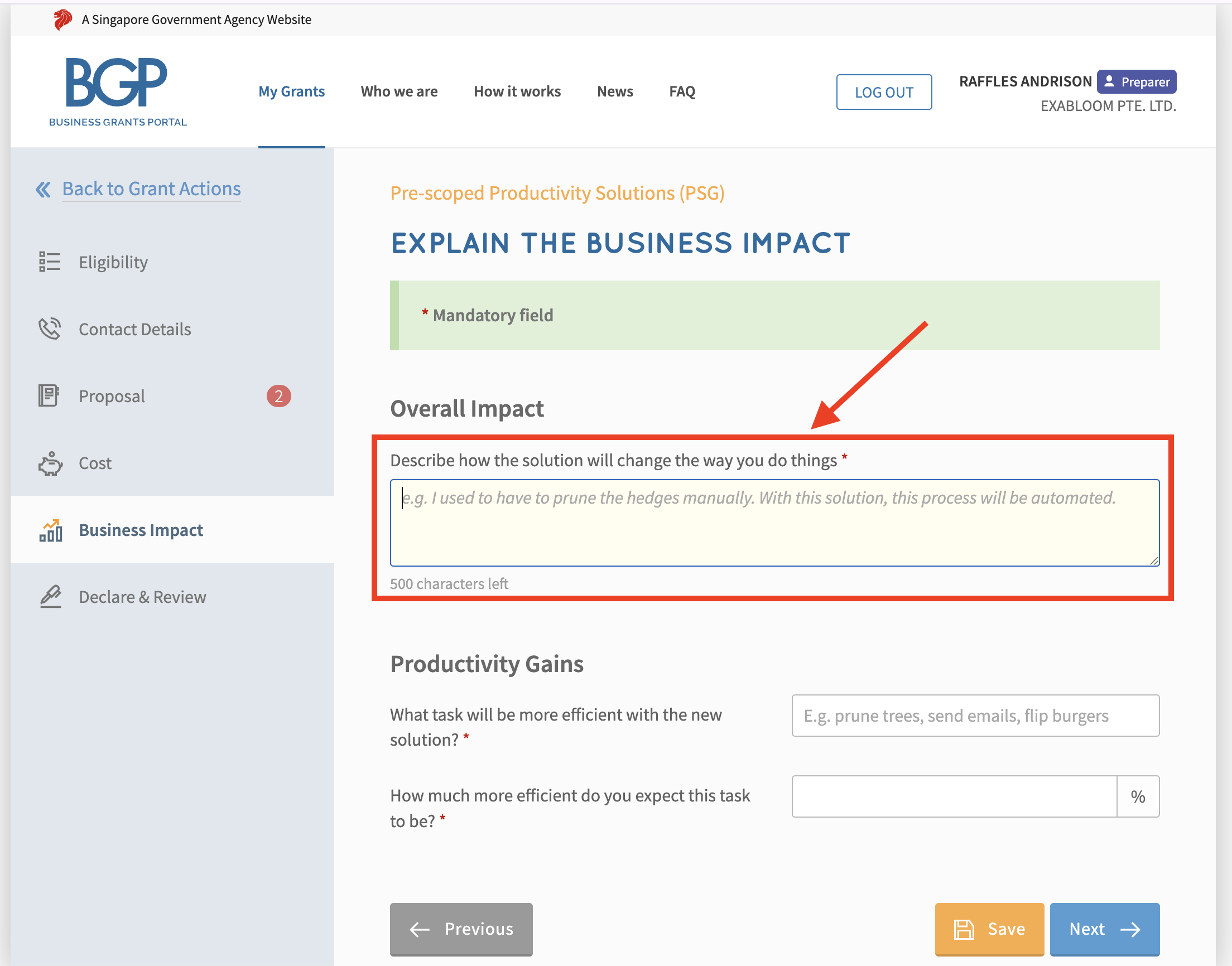
Step 20: You can choose from the following to describe which task will be more efficient (What task will be more efficient with the new solution?). Please only copy the options that suit your business needs.
- Accelerate lead follow-up and customer reactivation cycles with automated, timely messaging.
- Enable customers and prospects to engage instantly via online chat, improving response speed and satisfaction.
- Reduce time spent manually compiling engagement data and communication reports.
- Increase transparency and oversight of customer interaction workflows for sales and marketing teams.
- Eliminate manual errors and delays in follow-ups through AI-driven automation.
- Automate campaign execution and messaging delivery, minimizing manual intervention in outreach processes.
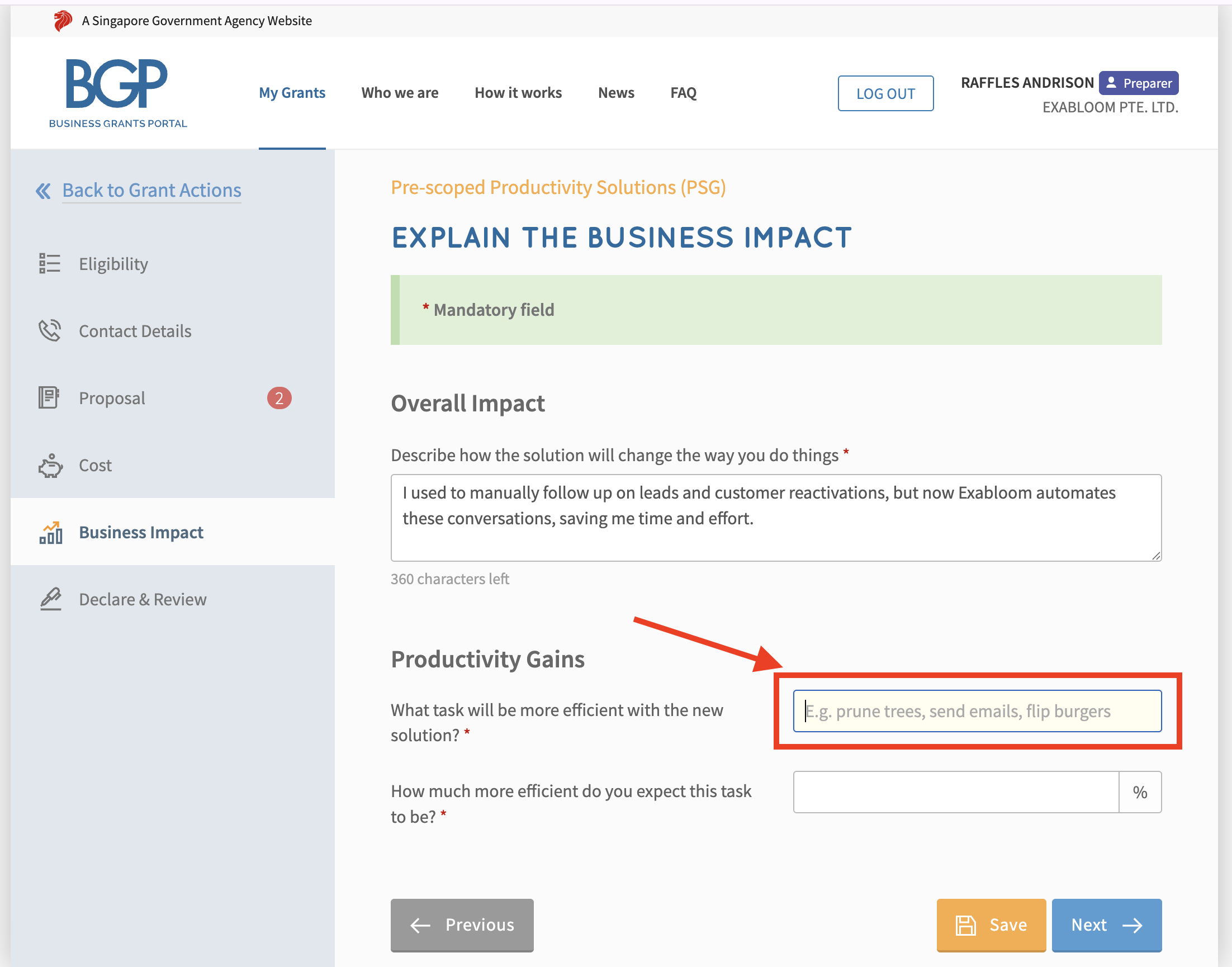
Step 21: Indicate the % of time you expect to save from implementing Exabloom in your company (How much more efficient do you expect this task to be?) and click on the “Next” button.
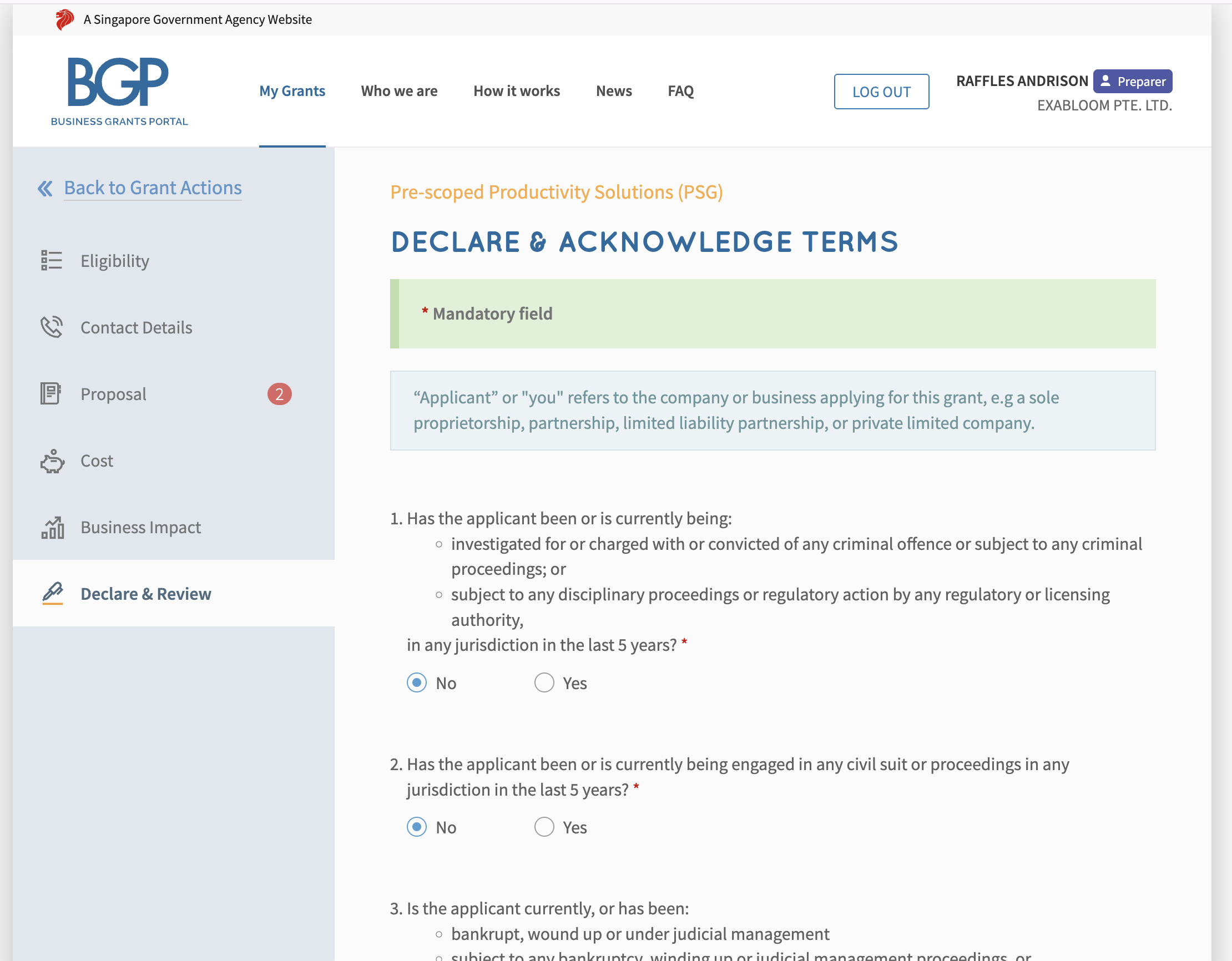
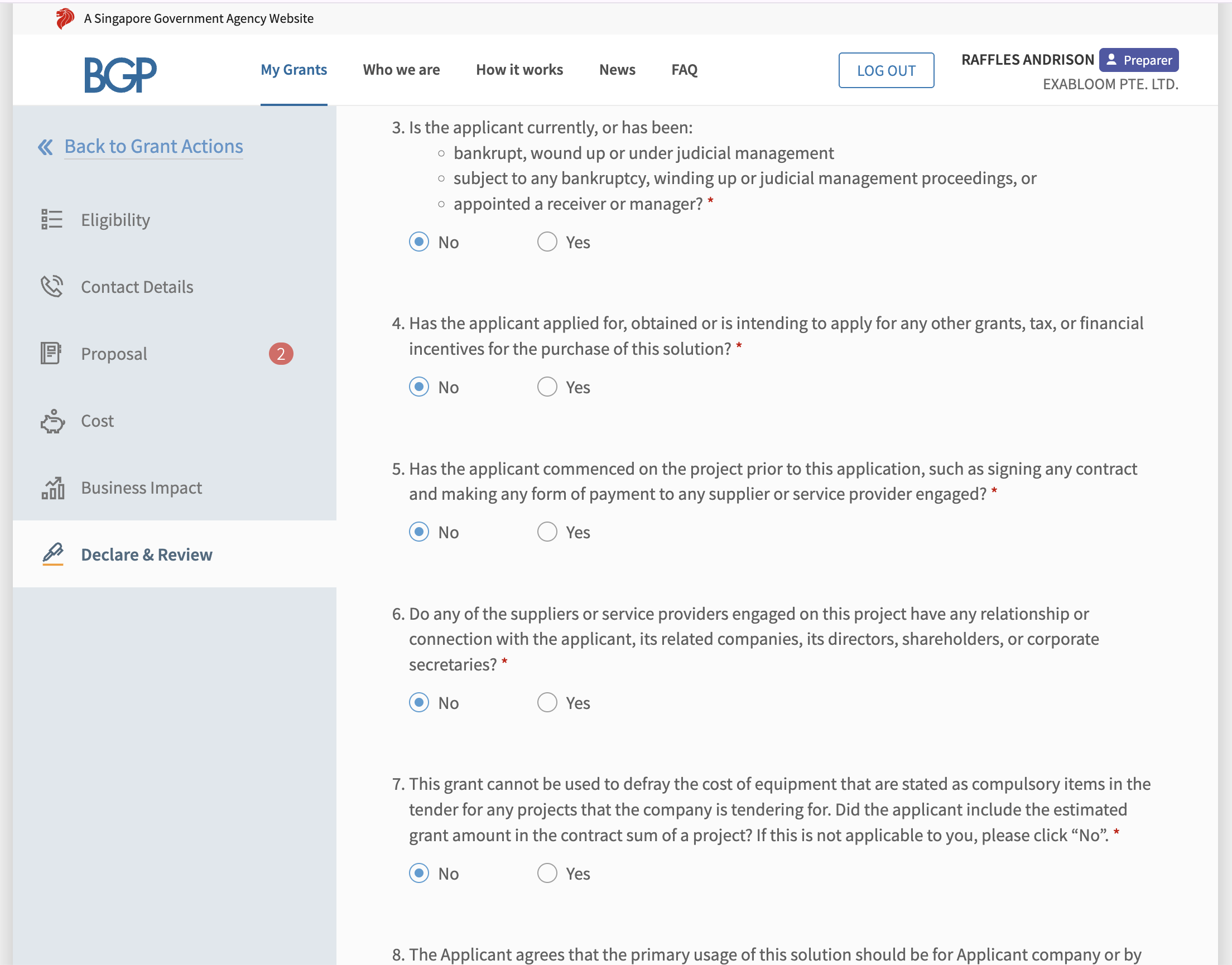
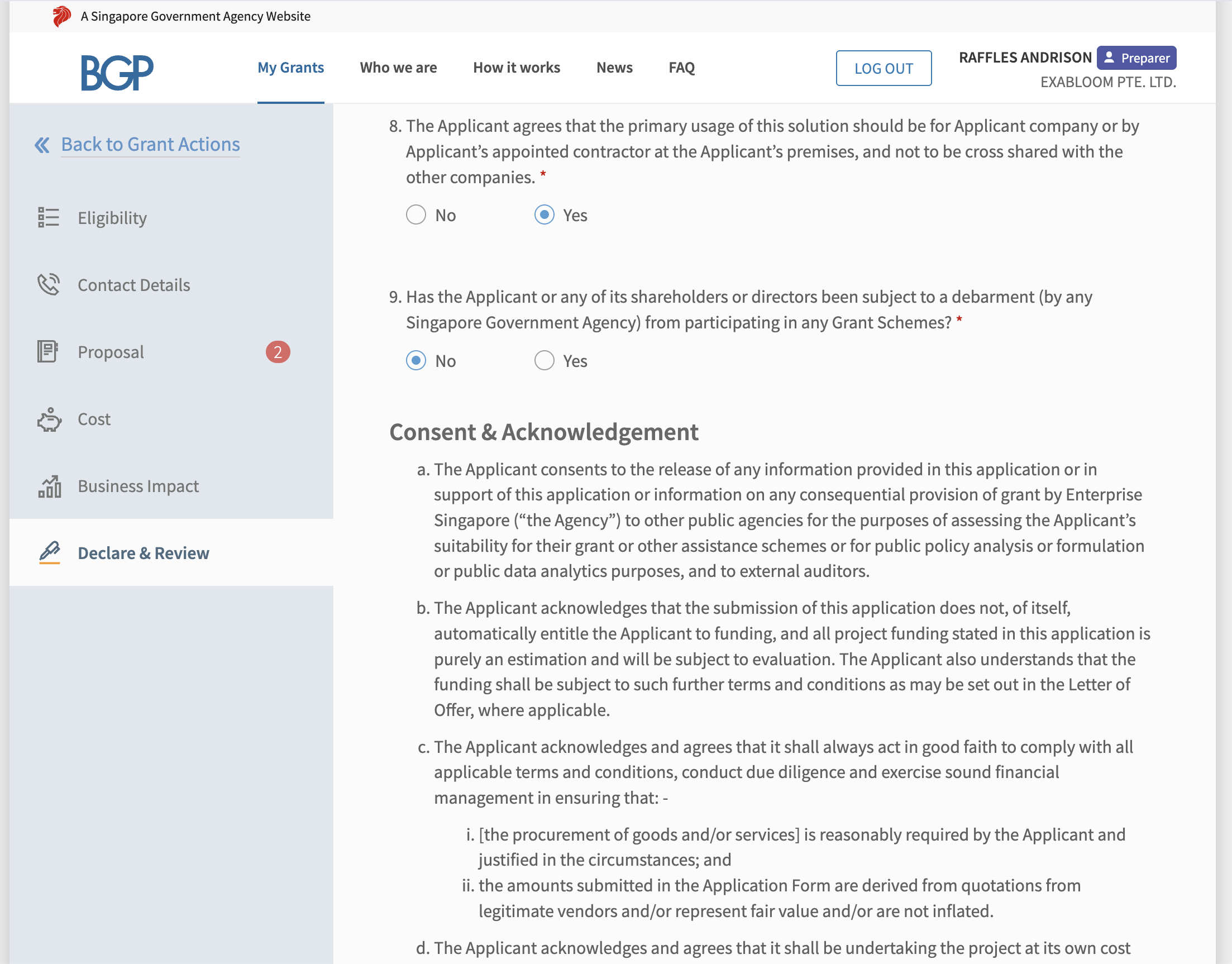
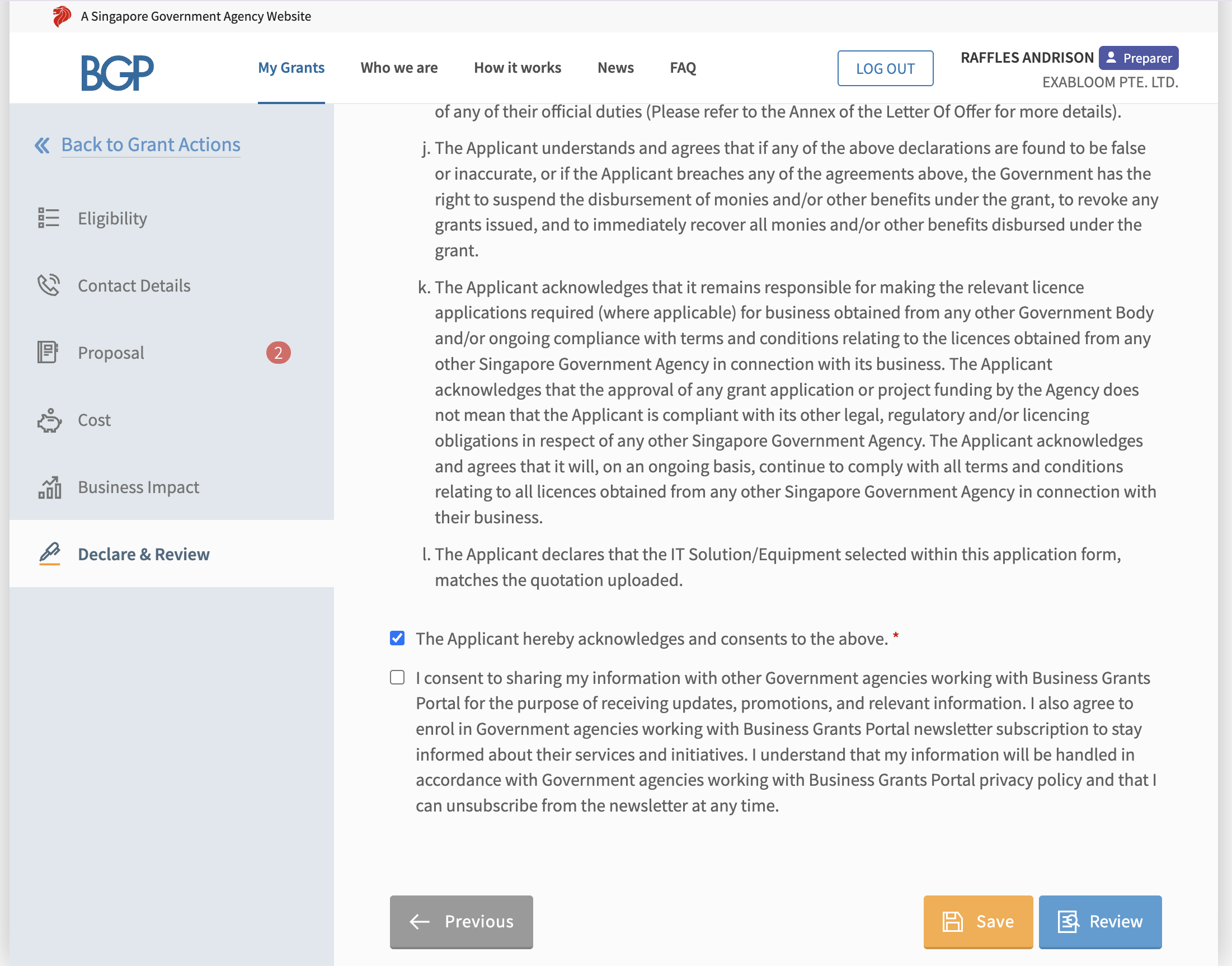
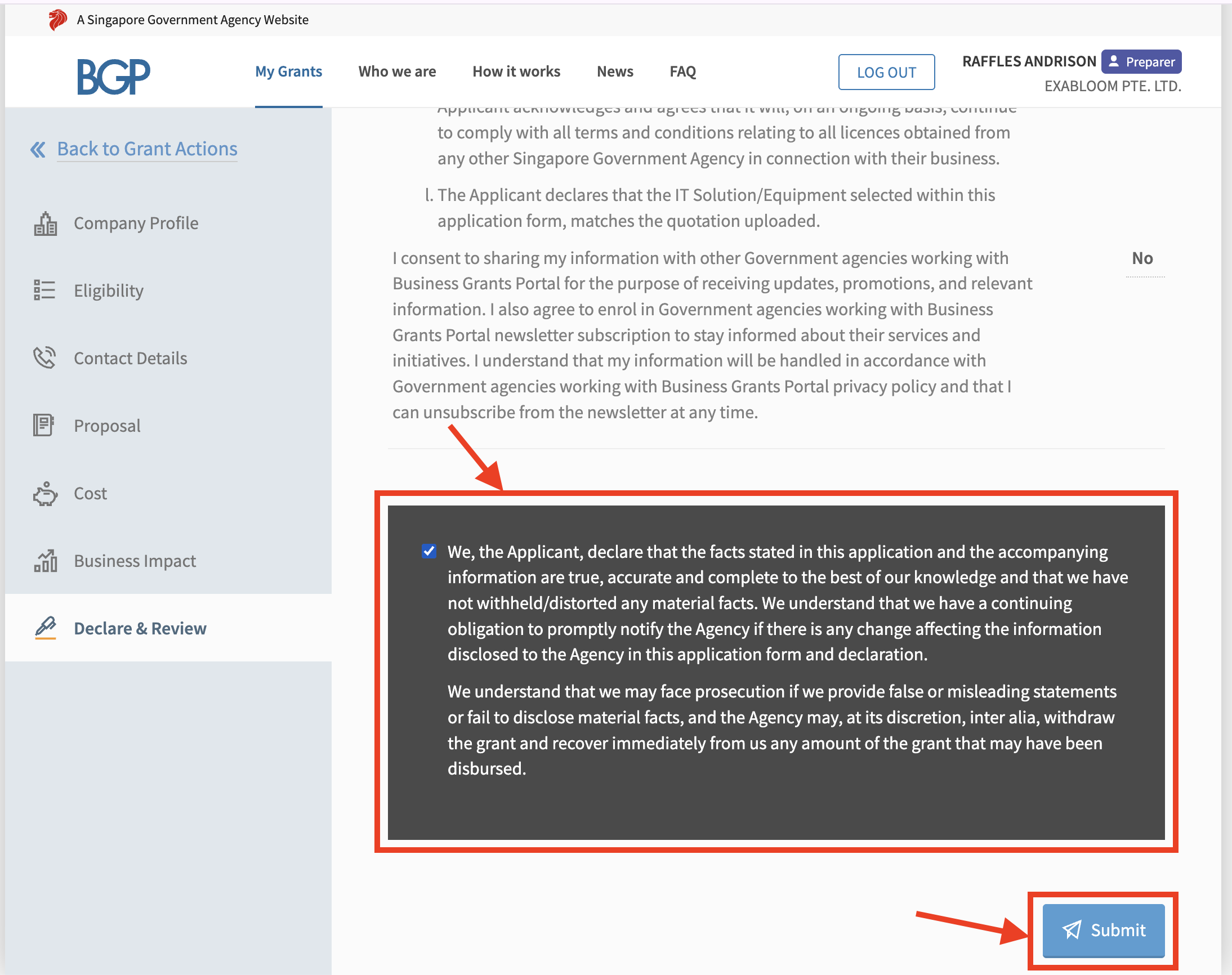
Step 22: Fill up the Declare & Review page and Click on “Submit”
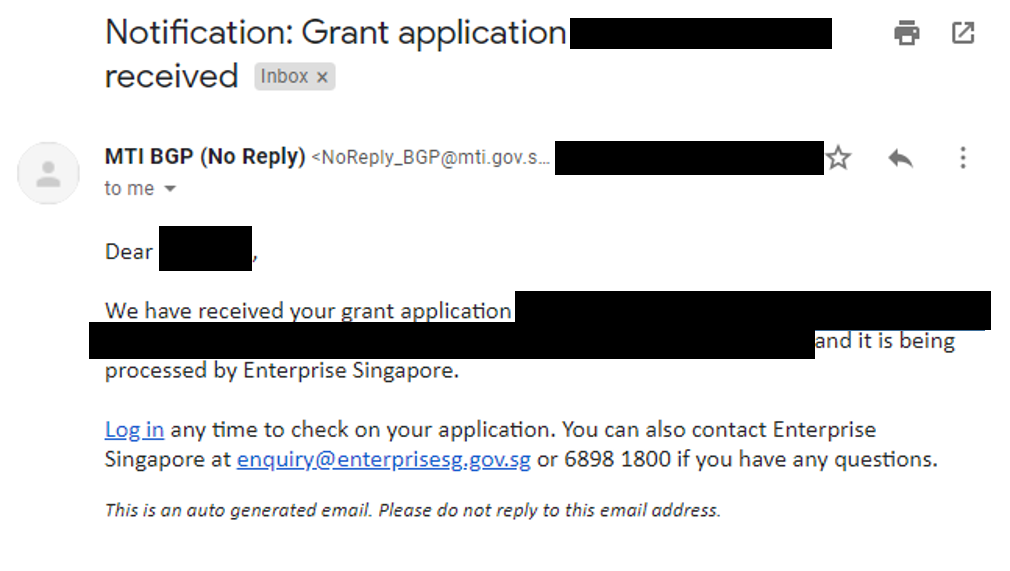
Upon successful application, you will receive an email from MTI BGP (Above image for reference) ☺